


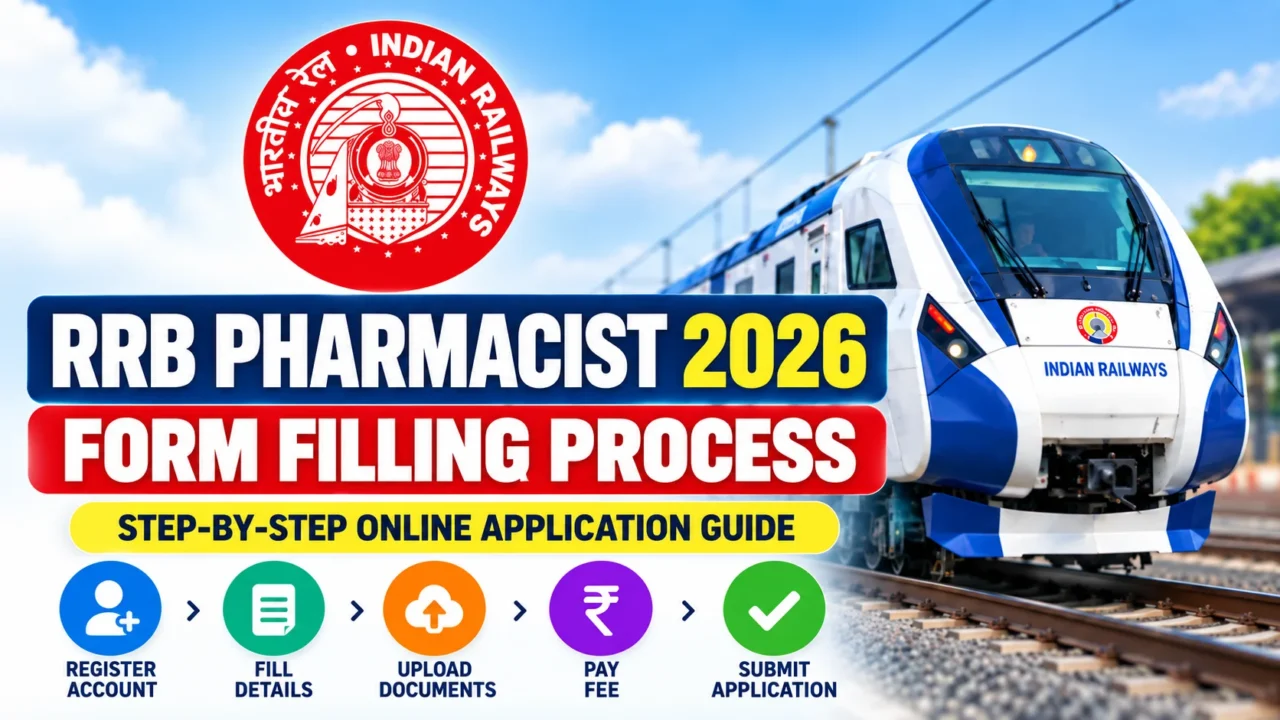

Candidates applying for RRB Pharmacist 2026 under CEN 05/2026 must submit the application online through the official RRB website. The online application opened on 15 September 2026, and the last date to submit the application is 14 October 2026 at 11:59 PM. The last date for payment of the application fee is 16 October 2026.
Step 1: Visit the Official RRB Website
Go to the official Railway Recruitment Board website and open the application link for CEN 05/2026 – Paramedical Categories. Candidates should apply only through the official RRB application link and carefully read the detailed notification before proceeding.
Step 2: Create an RRB Account or Log In
New candidates must create an account before filling out the application form. A valid personal mobile number and active email ID are required because OTPs will be sent during account creation.
Candidates who already created an RRB account for earlier CENs in 2024, 2025, or 2026 should use the same login credentials instead of creating another account.
Important: Details entered during the “Create an Account” stage, including the registered mobile number and email ID, cannot be changed later. Therefore, check all information carefully before confirming your account.
Step 3: Complete Identity Authentication
Candidates are advised to authenticate their identity through Aadhaar or DigiLocker during account creation. According to the notification, Aadhaar/DigiLocker authentication can make verification smoother during subsequent stages of recruitment. Candidates using alternate photo IDs may undergo more detailed scrutiny.

Step 4: Log In and Select CEN 05/2026
After successful registration, log in to your RRB account and select the application for CEN 05/2026 – Paramedical Categories.
Make sure you are applying for the correct recruitment notification before proceeding.
Step 5: Fill in Personal Details
Enter the required personal information carefully. Your name, father’s name, mother’s name and date of birth should match the details recorded in your Class 10/Matriculation/SSLC or equivalent certificate.
Carefully check details such as:
- Candidate’s name
- Date of birth
- Gender
- Nationality
- Category
- Address
- Aadhaar/identity details
- Mobile number
- Email ID
Avoid spelling mistakes or discrepancies with your official documents.
Step 6: Enter Educational Qualification Details
Fill in your educational, technical and professional qualification details exactly as mentioned in your certificates and mark sheets.
Candidates must possess the required qualification by the closing date of the application. Candidates awaiting the final result of the prescribed qualification are not eligible to apply.
Step 7: Select Your RRB
Choose your Railway Recruitment Board (RRB) carefully.
A candidate can choose only one RRB under CEN 05/2026. Multiple applications to the same or different RRBs can result in rejection and debarment from the recruitment process.
Important: The chosen RRB cannot be changed during the modification window.
Step 8: Select Post and Railway Zone Preferences
Candidates must provide their order of preference for the eligible posts and Railway Zones available under their selected RRB.
If you select only some of the available options, you will be considered only for the Railway Zones and posts/categories you have chosen.
For RRB Pharmacist applicants, select Pharmacist (Entry Grade) wherever applicable according to your eligibility and available vacancies.

Step 9: Choose the CBT Examination Language
Select your preferred language for the Computer Based Test.
The notification states that CBT questions will be available in English, Hindi and 13 regional Indian languages. The examination will display questions in the language selected by the candidate along with English.
Step 10: Capture Your Live Photograph
Candidates do not need to upload an old passport-size photograph. The application portal will capture a live photograph during the application process using a webcam or the front camera of a mobile phone.
While capturing the live photograph:
- Wear non-white clothing, preferably dark-coloured clothes.
- Keep the camera at eye level.
- Look directly at the camera with a neutral expression.
- Keep your complete face clearly visible and centred.
- Do not wear a cap, mask, glasses or spectacles.
- Ensure your head and face remain completely inside the designated frame.
- Preview and retake the photograph if required before submitting the application.
Do not photograph an existing printed or digital photo. Such applications are liable to rejection.
Step 11: Upload Your Signature
Upload a scanned copy of your own signature in JPG/JPEG format.
The signature should be made with a black ink pen on white paper and should be in running handwriting rather than block or capital letters.
The prescribed signature specifications are:
File format: JPG/JPEG
File size: 30 KB to 49 KB
Minimum dimensions: 140 × 60 pixels
Minimum scan resolution: 100 DPI
Signature box: approximately 35 mm × 20 mm
The signature used in the application should remain consistent during the examination, Document Verification, Medical Examination and appointment stages.
Step 12: Upload SC/ST Certificate, If Applicable
SC/ST candidates who want to avail themselves of the free railway travel pass must upload their SC/ST certificate.
The document should be:
Format: PDF
File size: Less than 400 KB
Quality: Clear and legible
Validity: Latest and valid as on the application closing date
Step 13: Review the Application Carefully
Before final submission, thoroughly review every detail entered in the application form.
Pay special attention to:
- Name and date of birth
- Category
- Educational qualifications
- Selected RRB
- Post and Railway Zone preferences
- Examination language
- Reservation details
- Uploaded signature
- Live photograph
RRB specifically instructs candidates to enter correct information and re-check the application before submission.
Step 14: Submit the Application Form
After checking all the information, submit the online application.
Remember that only one application should be submitted under this CEN. Multiple applications can lead to rejection and debarment.
Step 15: Pay the Application Fee
After submitting the application, proceed to the examination fee payment section.
The examination fee can be paid online only using:
Internet Banking, Debit Card, Credit Card, or UPI.
The application fee is:
₹500 for general candidates, of which ₹400 is refundable after appearing in the CBT, subject to applicable bank charges.
₹250 for SC, ST, Ex-Servicemen, PwBD, Female, Transgender, Minorities and eligible Economically Backward Class (EBC) candidates. This amount is refundable after appearing in the CBT, subject to applicable bank charges.
Step 16: Confirm Successful Submission
The application is considered accepted only after successful confirmation of the examination fee payment.
After successful online payment, candidates will receive confirmation through their registered email ID and SMS.
Save or print the submitted application form and note your Registration Number carefully for future reference.
Step 17: Correction/Modification of Application
If you discover an error after final submission, RRB provides a modification window from 17 October 2026 to 26 October 2026.
Candidates can modify permitted details by paying a non-refundable modification fee of ₹250 for each occasion. However, details entered during Create an Account and the Chosen RRB cannot be modified.
Important Dates for RRB Pharmacist 2026 Application
| Event | Date |
|---|---|
| Online Application Starts | 15 September 2026 |
| Last Date to Apply | 14 October 2026, 11:59 PM |
| Last Date for Fee Payment | 16 October 2026 |
| Application Modification Window | 17–26 October 2026 |
| Scribe Details Submission Window | 27–31 October 2026 |
These dates are specified in the official RRB CEN 05/2026 Paramedical Recruitment notification.
Important Advice for Candidates
Do not wait until the last day to fill out the RRB Pharmacist 2026 application form. Keep your mobile number and email ID active throughout the recruitment process, use only the official RRB portal, verify every detail before submission, and keep copies of your application form, fee receipt and registration details for future reference. The notification also warns candidates against fake or unauthorized websites.
Recommended Products