


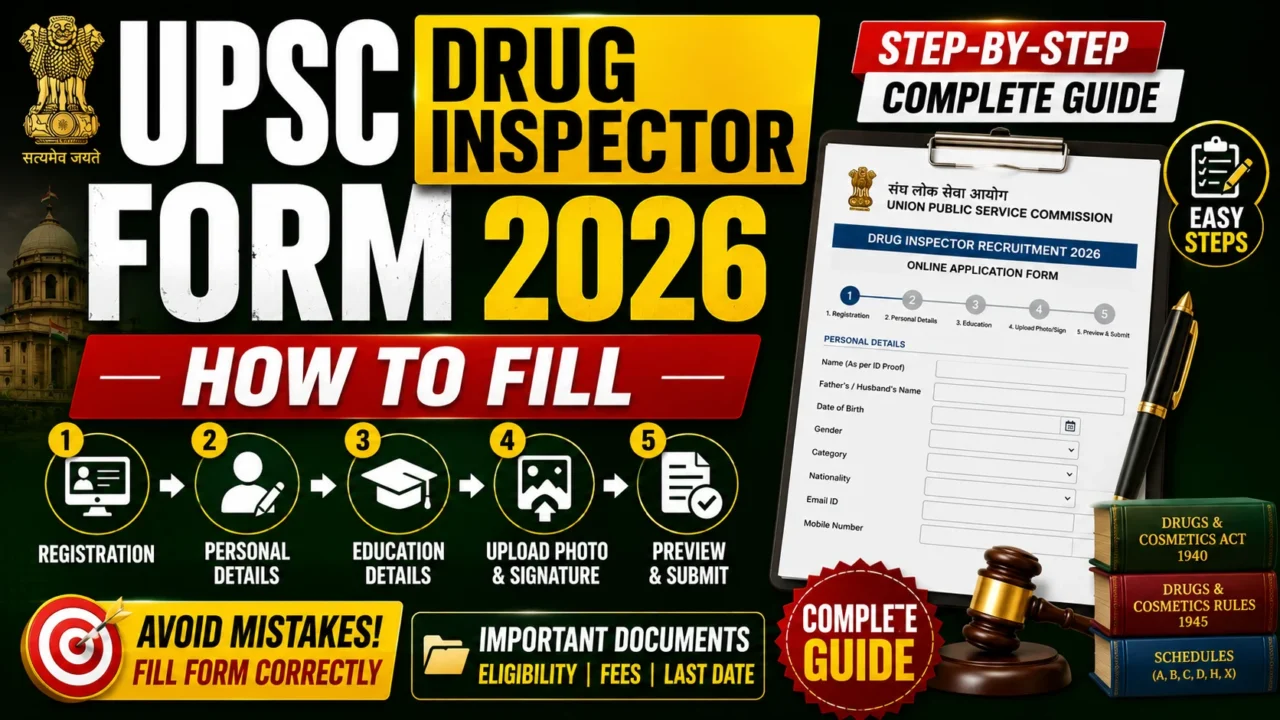

If the UPSC Drug Inspector Recruitment 2026 notification is released, candidates will be required to submit their applications online through the UPSC Online Recruitment Application (ORA) portal. UPSC applications are accepted only in online mode, and candidates should carefully complete each step to avoid rejection. The exact application schedule and instructions will be available in the official recruitment notification once it is published.
UPSC Drug Inspector 2026 Application Overview
| Particulars | Details |
|---|---|
| Exam Name | UPSC Recruitment by Selection (Advertisement No. 07/2026) |
| Conducting Body | Union Public Service Commission (UPSC) |
| Post Name | Drug Inspector |
| Total Vacancies | 186 Posts |
| Application Mode | Online Recruitment Application (ORA) |
| Official Website | https://upsconline.nic.in/ora/ |
| Last Date to Apply | 17 July 2026 (06:00 PM) |
| Exam Date | To Be Announced |
Step 1: Read the Official Notification
Before filling the application form, carefully check:
- Eligibility Criteria
- Educational Qualification
- Age Limit
- Experience Requirement (if applicable)
- Category-wise Reservation
- Application Fee
- Selection Process
Step 2: Visit the UPSC Online Portal
Go to the official UPSC Online Recruitment Application (ORA) portal and select the Drug Inspector Recruitment 2026 advertisement once it becomes available. Always apply only through the official UPSC website.
Step 3: Complete One-Time Registration (OTR)
If you are a new candidate:
- Register using your mobile number and email ID.
- Verify the OTP.
- Create your profile.
If you have already completed OTR, simply log in using your credentials.
Step 4: Fill Personal Details
Enter:
- Full Name
- Father’s/Mother’s Name
- Date of Birth
- Gender
- Nationality
- Category (UR/OBC/SC/ST/EWS)
- PwBD Status (if applicable)
- Aadhaar/Identity Details
Make sure the information matches your official documents.
Step 5: Enter Contact Information
Provide:
- Mobile Number
- Email ID
- Permanent Address
- Correspondence Address
- State
- District
- PIN Code
Step 6: Fill Educational Qualification
Enter details such as:
- 10th
- 12th
- D.Pharm/B.Pharm/M.Pharm (as applicable)
- University/Institute
- Passing Year
- Percentage/CGPA
If the notification requires experience, also provide:
- Employer Name
- Designation
- Duration of Experience
Step 7: Upload Required Documents
Typically, you may need to upload:
- Passport-size Photograph
- Signature
- Identity Proof (if required)
- Category Certificate (if applicable)
- EWS Certificate
- PwBD Certificate (if applicable)
Ensure that the files meet the size and format specified in the notification.
Step 8: Choose Examination Centre
Select your preferred examination city from the available options.
Seats are allotted on a first-come, first-served basis, so apply early.
Step 9: Pay the Application Fee
Pay the prescribed fee using the available online payment methods, if applicable.
Fee exemptions (where notified) may apply to candidates belonging to certain categories such as SC, ST, PwBD, or women, depending on the recruitment notification.
Step 10: Preview the Application
Before submitting:
- Verify spelling of your name.
- Check educational details.
- Confirm uploaded documents.
- Review category and reservation details.
- Ensure contact information is correct.

Step 11: Final Submit
After verifying all details:
- Click Final Submit.
- Note your Application Number.
- Download and save the confirmation page.
- Print a copy for future reference.
Documents to Keep Ready Before Filling the Form
- Aadhaar Card or other valid ID
- Class 10 Certificate (Date of Birth Proof)
- Pharmacy Degree/Diploma Certificate
- Mark Sheets
- Experience Certificate (if required)
- Category Certificate
- EWS Certificate (if applicable)
- PwBD Certificate (if applicable)
- Passport-size Photograph
- Signature
- Active Mobile Number
- Active Email ID
Common Mistakes to Avoid
- Entering incorrect name or date of birth.
- Uploading blurred photographs or signatures.
- Providing an incorrect email ID or mobile number.
- Waiting until the last day to apply.
- Not checking eligibility before submitting the application.
- Forgetting to download the confirmation page.
Checklist Before Final Submission
✅ Read the official notification carefully.
✅ Complete One-Time Registration (OTR).
✅ Fill all personal and educational details correctly.
✅ Upload documents in the prescribed format.
✅ Select the correct category and exam centre.
✅ Pay the application fee (if applicable).
✅ Preview the application before submission.
✅ Download and print the confirmation page.
Recommended Products